
Rapid Prototyping: Testing Ideas Before They're Final
Quick techniques for building testable prototypes without spending weeks perfecting every detail—fail fast and learn faster.
Why Speed Matters in Design
Here's the thing: your first idea probably isn't your best idea. We all know that. But a lot of teams still spend months polishing a concept before they even test it with real people. That's backwards. You want to get something rough in front of users fast, learn what breaks, then iterate.
Rapid prototyping flips that script. Instead of designing in isolation, you're building quick versions to validate assumptions. It's not about making it perfect. It's about making it real enough to get honest feedback. In most cases, you'll spend 3–5 days on a prototype instead of 3–5 weeks.
"The fastest way to fail is to build the wrong thing beautifully. Prototypes let you fail fast on the idea itself, not the execution."

The Core Techniques That Actually Work
There are a few proven methods that teams use consistently. None of them require fancy tools or specialized skills.
Paper Sketches
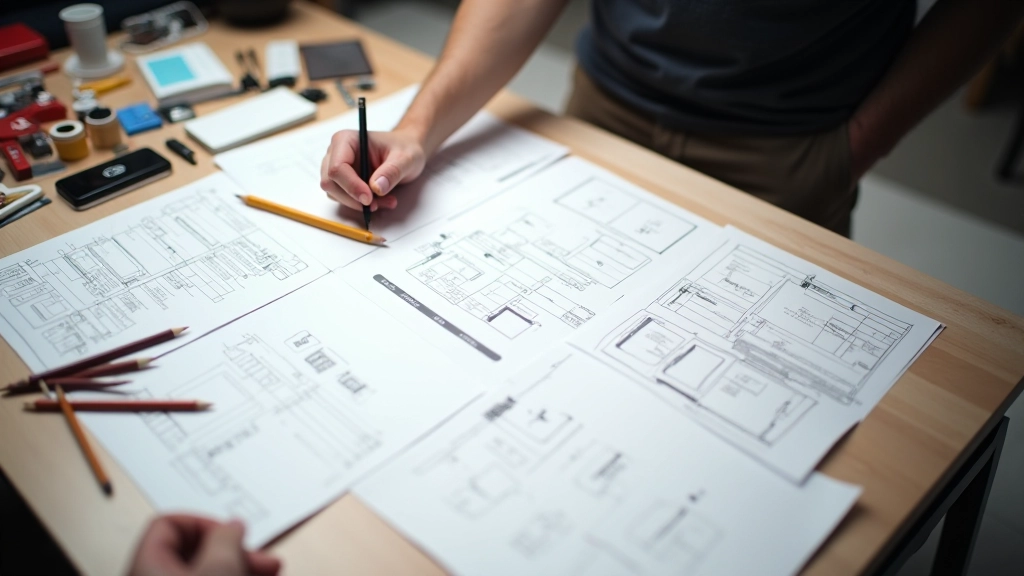
Start with pencil and paper. Rough out your user flows, screens, interactions. Takes 30 minutes to 2 hours depending on complexity. Sounds simple, but it forces you to think through the basics before touching software. You'll catch obvious problems early.
Wireframe Tools
Figma, Balsamiq, or even a whiteboard photo. These let you build gray-box layouts quickly. No colors, no typography tweaking—just structure and flow. A medium-fidelity wireframe takes 1–2 days for a standard flow. That's still faster than building in code.
Interactive Prototypes
Figma prototyping, Framer, or Adobe XD animations. You're linking screens together, adding basic interactions. Not pixel-perfect. Just clickable. Users can actually navigate through the flow and see how it feels. Takes 2–3 days for a core user journey.
Code-Based Prototypes
HTML/CSS/JS or a framework like React. You're building a real, functional version. Only use this when you need actual performance testing or complex interactions. Takes longer, but gives the most realistic experience. Usually 1–2 weeks depending on scope.
Moving From Sketch to Test
The jump from rough sketch to something testable doesn't have to be huge. Most teams skip at least one step, and that's fine. You don't need to build every prototype level.
Start with your lowest-fidelity option—paper. Show it to your team. Get alignment on the concept. Then jump to the fidelity level that answers your biggest question. If you need to validate the user flow, a wireframe works. If you need to test interaction patterns, go interactive. If you need to test performance or real-world usage, code it.
The key is matching fidelity to your actual question. Don't over-build just because you can. You'll waste time polishing things that don't matter.

Common Mistakes (And How to Avoid Them)
Teams usually stumble in the same places. Here's what to watch for.
Building Too High Fidelity Too Soon
You don't need perfect colors, fonts, or spacing at the prototype stage. People get hung up on visual polish when the actual problem is the information architecture. Stick to grayscale. Use system fonts. Save the design details for after you've validated the structure.
Prototyping Without a Clear Question
Before you prototype, write down what you're testing. Are you validating the user flow? Testing navigation patterns? Exploring a specific interaction? If you don't know what you're testing, your prototype won't be focused and feedback will be scattered.
Testing Only With Your Team
Your teammates aren't your users. They know the product, they know the problem you're solving. Real users don't have that context. Get your prototype in front of actual people—5 to 8 is usually enough to spot major issues. You don't need a huge sample size at this stage.
Ignoring Feedback Because "It's Just a Prototype"
The whole point of prototyping is to get feedback. Don't treat it like a checkbox. When users struggle with something, listen. Sometimes it's a detail, sometimes it's a bigger structural issue. Either way, that information is gold. Don't dismiss it.

Running a Quick Test Session
You don't need a research lab or formal study. A quick test can be done in a coffee shop, over video call, or in a conference room. Here's the structure most teams use:
First, recruit 5–8 people who match your target user. Second, give them a task without explaining how to do it. Watch them interact. Third, ask open-ended questions about what confused them or what worked well. Take notes on struggles and surprises. Don't defend your design. Just listen.
Most sessions take 30–45 minutes per person. You'll usually spot the same issues across 3–4 people, so you don't need to test everyone. One round of feedback is enough to improve your prototype significantly.
From Prototype to Next Steps
After testing, you'll know what works and what doesn't. Now you decide: iterate the prototype, move to a higher fidelity, or hand off to development. Most teams iterate 2–3 times before they feel confident enough to build the real thing. That's normal. Each round teaches you something.
The biggest benefit of rapid prototyping isn't the prototype itself. It's the conversations it sparks. When your team and your users are looking at the same thing and talking through it, alignment happens naturally. You build the right thing faster, with fewer surprises in development. That's the real win.

FlowMap Design Editorial Team
Editorial Team
Written by the FlowMap Design Editorial Team, focused on practical UX research and prototyping guidance for Vancouver design studios.
Related Articles
Explore more on UX research and wireframing

Conducting User Interviews That Actually Reveal Insights
Learn how to ask the right questions, listen actively, and extract genuine user insights from your research sessions.
Read Article
From Research to Wireframes: Making the Jump
A practical walkthrough on translating user research findings into concrete wireframes that guide development.
Read Article
Mapping User Journeys Your Team Will Actually Use
Create journey maps that communicate clearly across teams—with the right level of detail and actionable insights.
Read ArticleAbout This Guide
This article provides educational information about rapid prototyping techniques used in UX design. The methods and timelines described are general guidelines based on common industry practices and may vary depending on your specific project, team size, tools available, and user base. Always adapt these approaches to fit your unique context and organizational needs. For detailed guidance on your specific design challenges, consider consulting with experienced UX professionals or design agencies in your area.